GPS running
Keep your route, time and running pace together
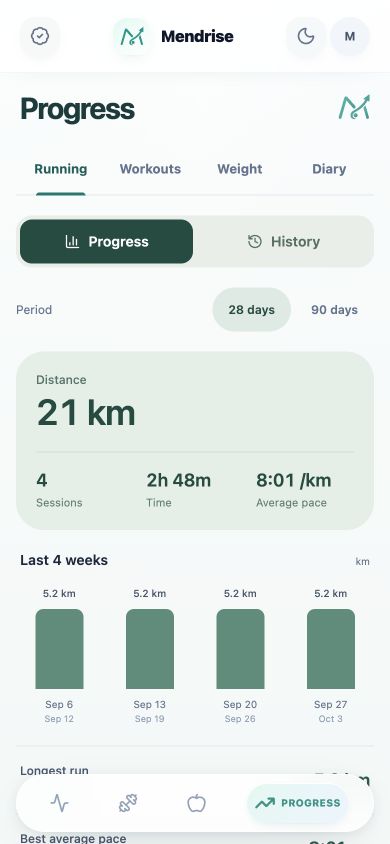
A GPS running tracker uses location samples to build a record of an outdoor session. Distance, elapsed time and pace describe different parts of that record. Mendrise brings them together on a run screen and in a saved summary, so you can review the activity after finishing.
Check location before recording
Open the outdoor running screen and allow location access on your phone. Check the GPS status before starting. You can start while waiting for a location fix, but distance and the route only begin recording when GPS data is available. The timer can continue when the signal is unavailable, leaving an incomplete route.
- Check the GPS indicator rather than relying only on the map.
- Choose kilometres or miles in your unit preferences.
- Use manual pause and resume when you interrupt the session.
Understand pace per kilometre or mile
Pace is the time taken to cover a unit of distance, usually minutes per kilometre or mile. During a run, Mendrise estimates pace for the current unit from recorded movement. It may show the previous completed unit while gathering enough new distance. Pace can be unavailable when there is too little movement or fresh GPS data; it is separate from the overall average in your summary.
Review the recorded route and splits
Finish and save the activity to revisit its route, duration, distance and average pace in history. With enough timed GPS samples, the summary also shows splits per kilometre or mile and pace along the route. Read those figures with the recording conditions in mind: a missing GPS segment cannot describe the ground you covered during that gap.
Frequently asked questions
Does a missing map mean the run stopped recording?
Not necessarily. A map-loading problem can occur while the timer and location recording continue. GPS reception still determines whether the route and distance can be recorded.
Does Mendrise pause a run automatically?
Use the manual pause and resume controls. Automatic pause is marked Coming soon in the app; it should not be assumed to remove every stop from the recording.
When can I download the running app?
Mendrise is being prepared for iPhone and Android. Its App Store and Google Play links remain marked Coming soon until publication.